Play
Play Pokebonk free in your browser
Pokebonk is a free, non-commercial fan game made by Charcher. It runs at pokebonk.com with no download, no install and a guest option. This page explains what to expect before your first run.
v0.7.3 · Data checked 2026-10-19
Open the official game
This site does not host the game. The button opens pokebonk.com in a new tab so you can keep the wiki beside it.
Your first five minutes
- 01
Open pokebonk.com and choose the English or Spanish version.
- 02
Pick the Guest option if you do not want an account yet.
- 03
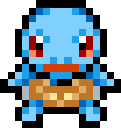
Choose Bulbasaur, Charmander or Squirtle as your first partner.
- 04
Select a region, mode and difficulty, then start the run.
- 05
Press Esc at any time to inspect your moves, items and stats.
What you need
- A modern browser with WebGL enabled.
- Keyboard and mouse for the desktop controls.
- Landscape orientation on mobile, with the on-screen controls.
- A guest session, or a free account to keep progress across sessions.
Guest or account?
A Guest session gets you into the game immediately, and progress is stored in the browser. An account adds a trainer profile, leaderboards, clans and progress that follows you between sessions. Choose Guest to try the game; create an account when you care about a run history.
What this page is not
We do not mirror the game, sell accounts or offer cheats. Anything that modifies the client or automates a run breaks the game's rules and can be removed from leaderboards.
Desktop controls
Defaults from the game's pause help. Bindings can be changed in Settings → Keys.